NONPROFIT / PRODUCT DESIGN / MOBILE SYSTEM

Designing a Trust-First, Accessible Donation Experience

I redesigned Elephaid’s mobile app to reduce cognitive load, improve accessibility, and help users confidently complete high-stakes donation and volunteer flows.

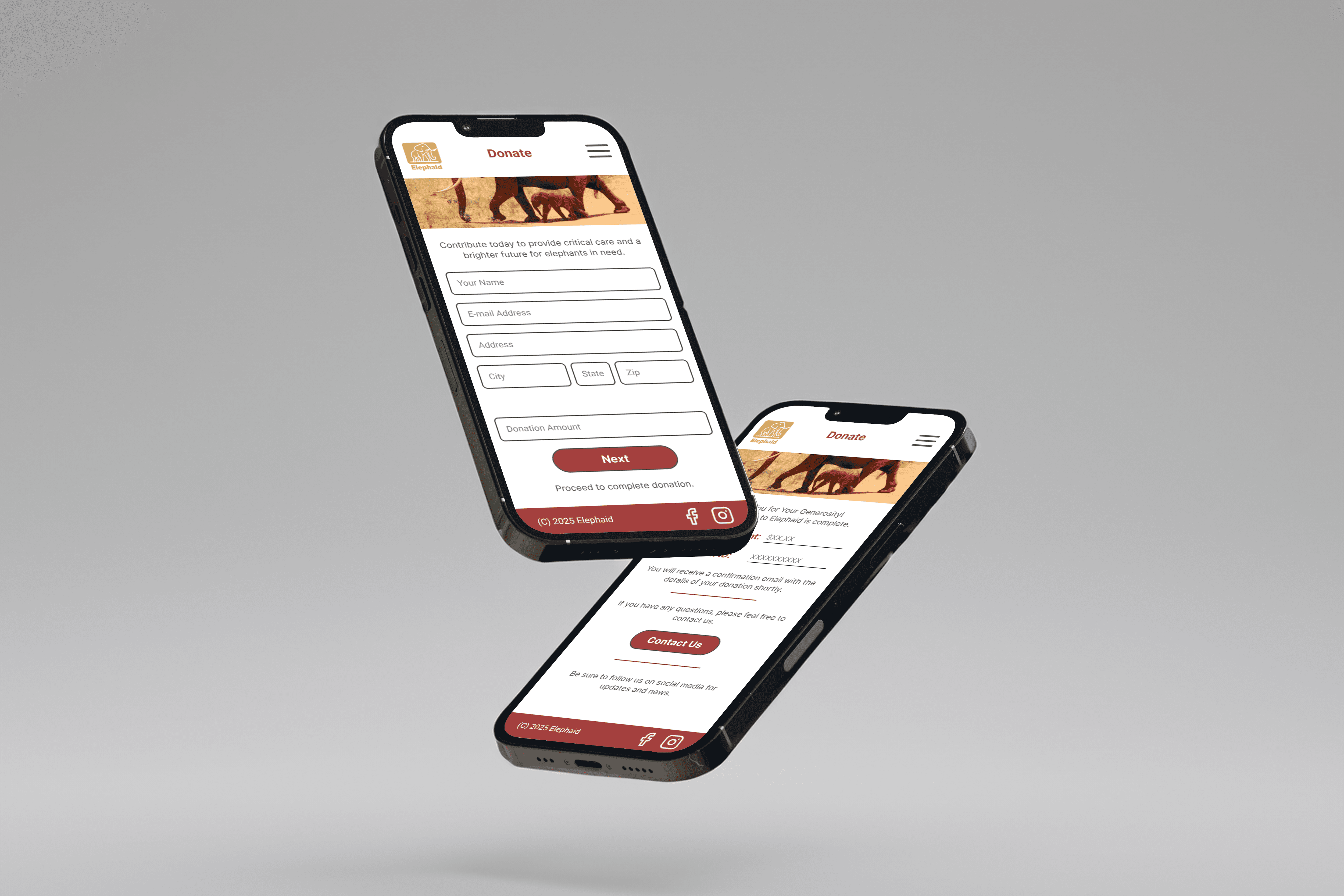
Two smartphones displayed at an angle showing the redesigned Elephaid donation screens, featuring simplified input fields and a clear progress button.

Organization

Organization

Elephaid Foundation

Platform

Platform

iOS & Android Mobile App

Role

Role

Product Designer

Timeline

Timeline

UX redesign project

Focus

Focus

Accessability, usability, usability, design system

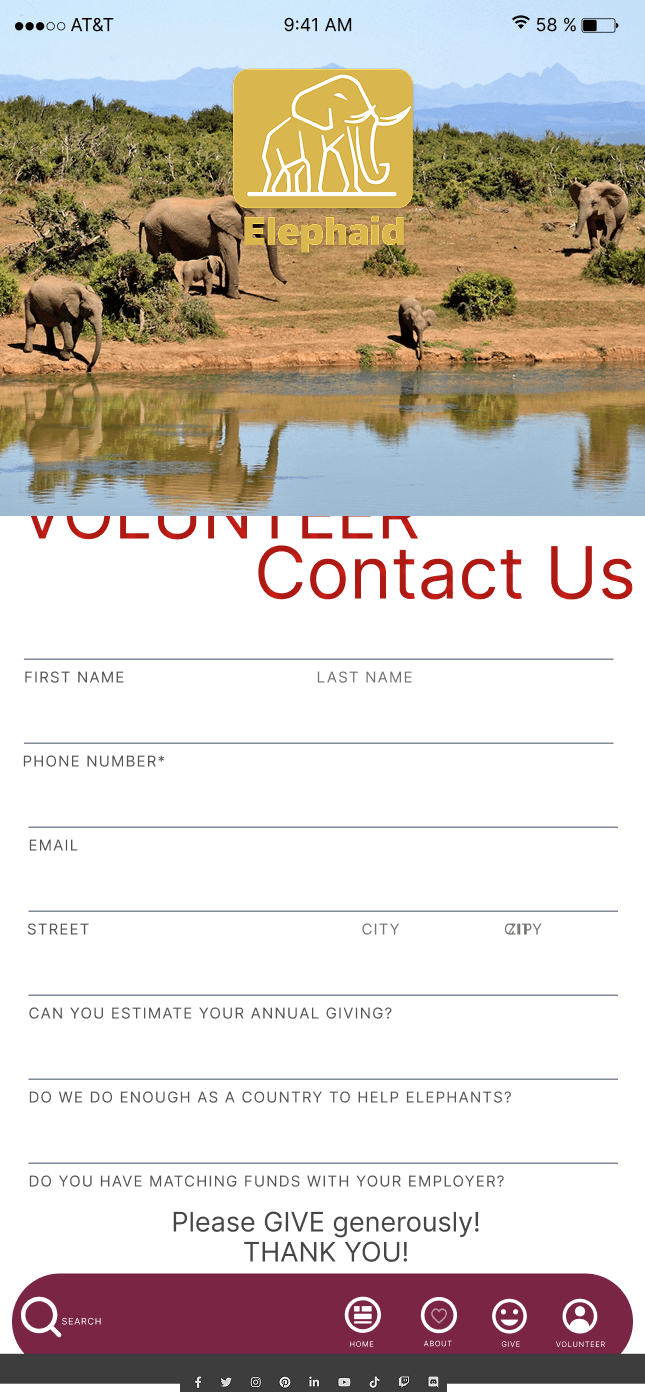
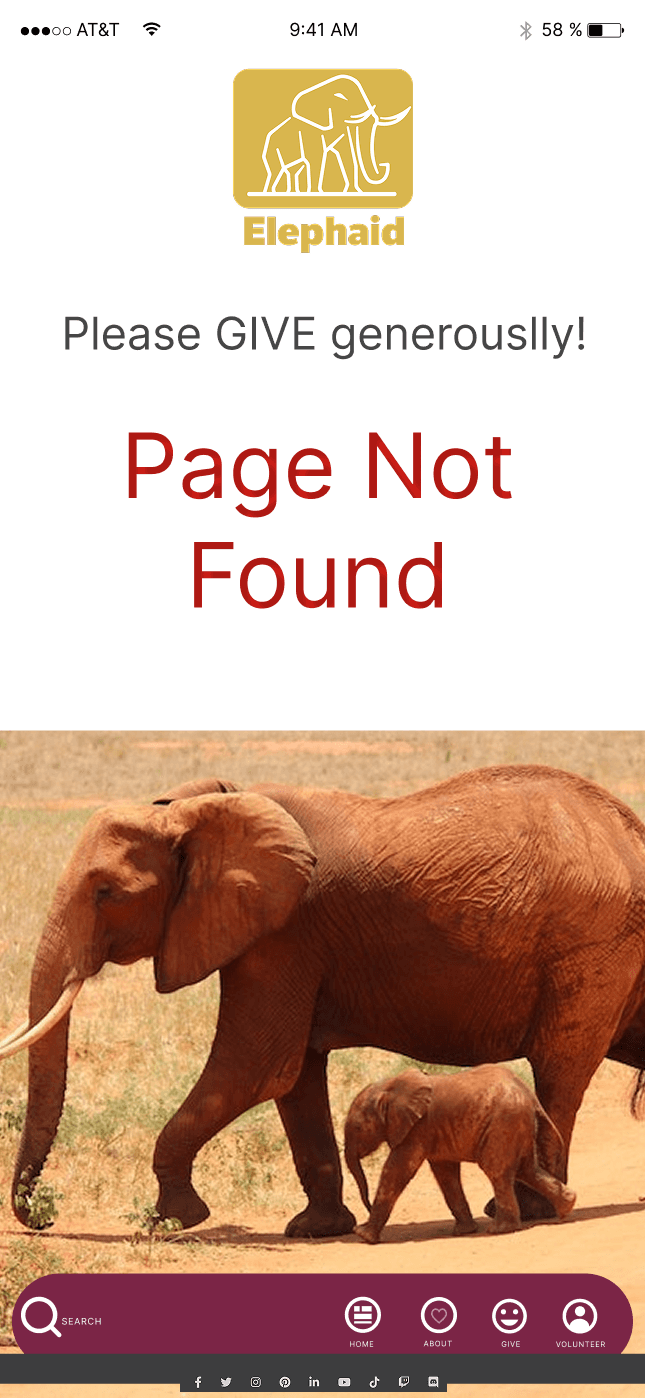
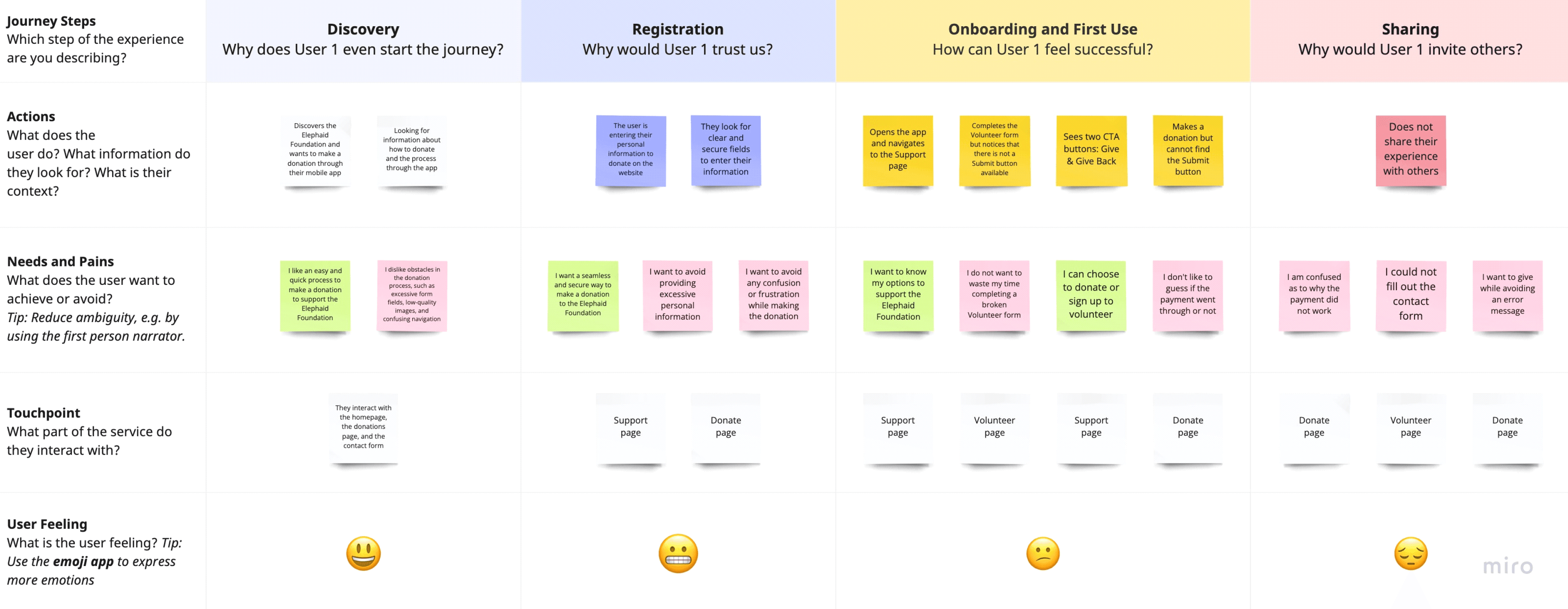
Elephaid's app confused users, making donations or volunteering difficult.

Elephaid’s mobile app supported both donations and volunteer sign-ups, but unclear navigation, inconsistent patterns, and dense forms made it difficult for users to complete key actions. Because the experience involved sensitive personal and financial information, confusion directly impacted trust and completion.

This caused users to hesitate, abandon flows, or question whether their actions were successful.

Constraints and challenges

High trust requirements due to personal and financial data entry

Wide range of user familiarity with donation platforms

Shared components across donation and volunteer paths with different mental models

Accessibility requirements aligned with WCAG standards

Need for reusable patterns to support future feature expansion

I simplified complex flows and improved accessibility to increase task completion.

The redesign improved user clarity and trust by simplifying the donation process from five steps to three. Visual consistency and accessible design patterns helped users complete actions with fewer errors. Feedback from early testers reflected increased satisfaction and confidence in using the app.

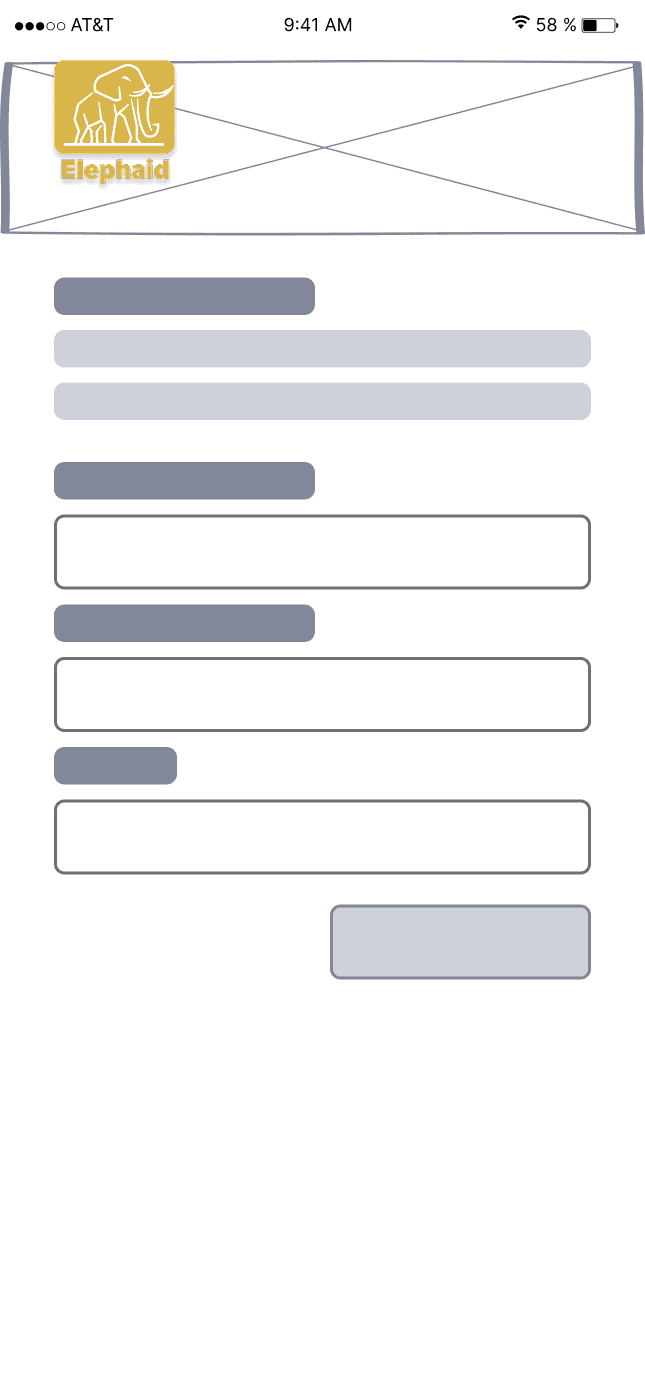
A wireframe of the Elephaid volunteering page displayed on a spiral notebook, showing a large hero image placeholder, form fields, and a Send button.
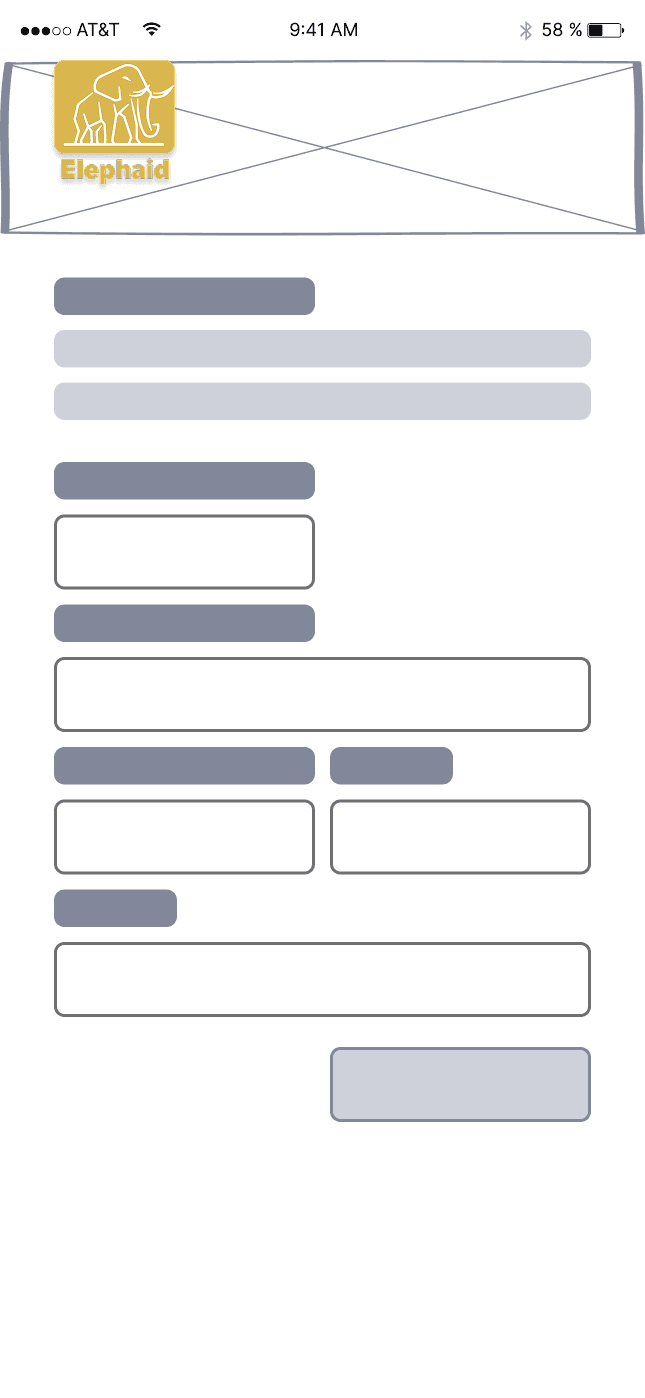
A wireframe of the Elephaid donation form displayed on a spiral notebook, including input fields for personal information and payment details with a Send button.

Low-fidelity wireframes for donation and volunteer forms.

I combined research, usability insights, and visual design systems to simplify complex user journeys and improve engagement.

Research & Analysis:

Conducted user interviews with past donors and volunteers to identify friction points. Analyzed competitor donation apps to evaluate best practices in clarity, hierarchy, and emotional tone.

Information Architecture:

Reorganized navigation to separate donations and volunteer opportunities clearly, reducing confusion and cognitive load.

Wireframing & Prototyping:

Created low-fidelity wireframes in Figma, tested with users, and iterated based on feedback. Developed high-fidelity prototypes using Elephaid’s updated brand colors and typography.

Usability Testing:

Ran paper and interactive prototype tests with five users. Gathered insights that led to simplified button labels, improved contrast, and clearer progress indicators.

Visual Design & Style Guide:

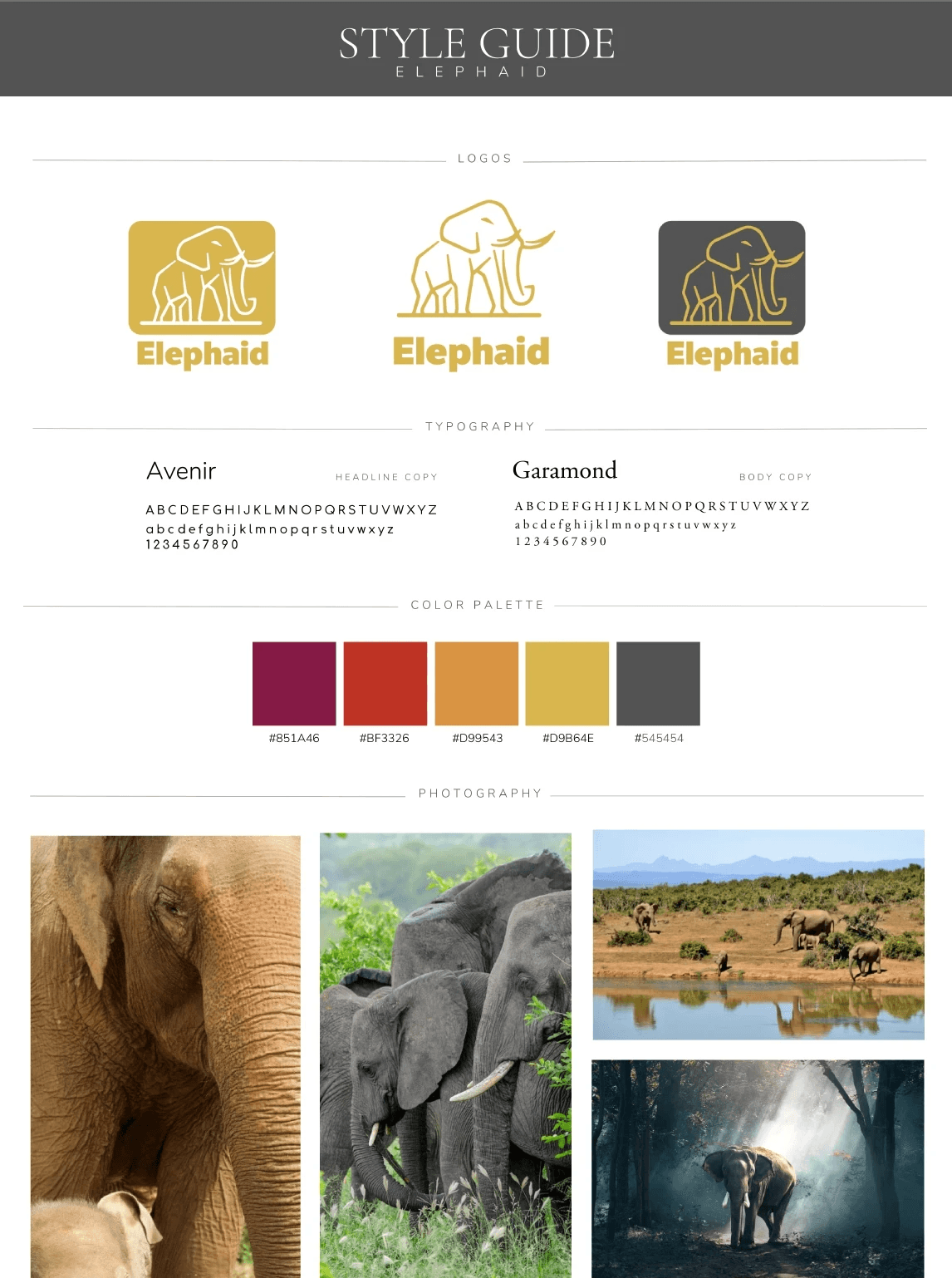
Built a small design system including buttons, cards, and icons to ensure consistency across app pages and future updates.

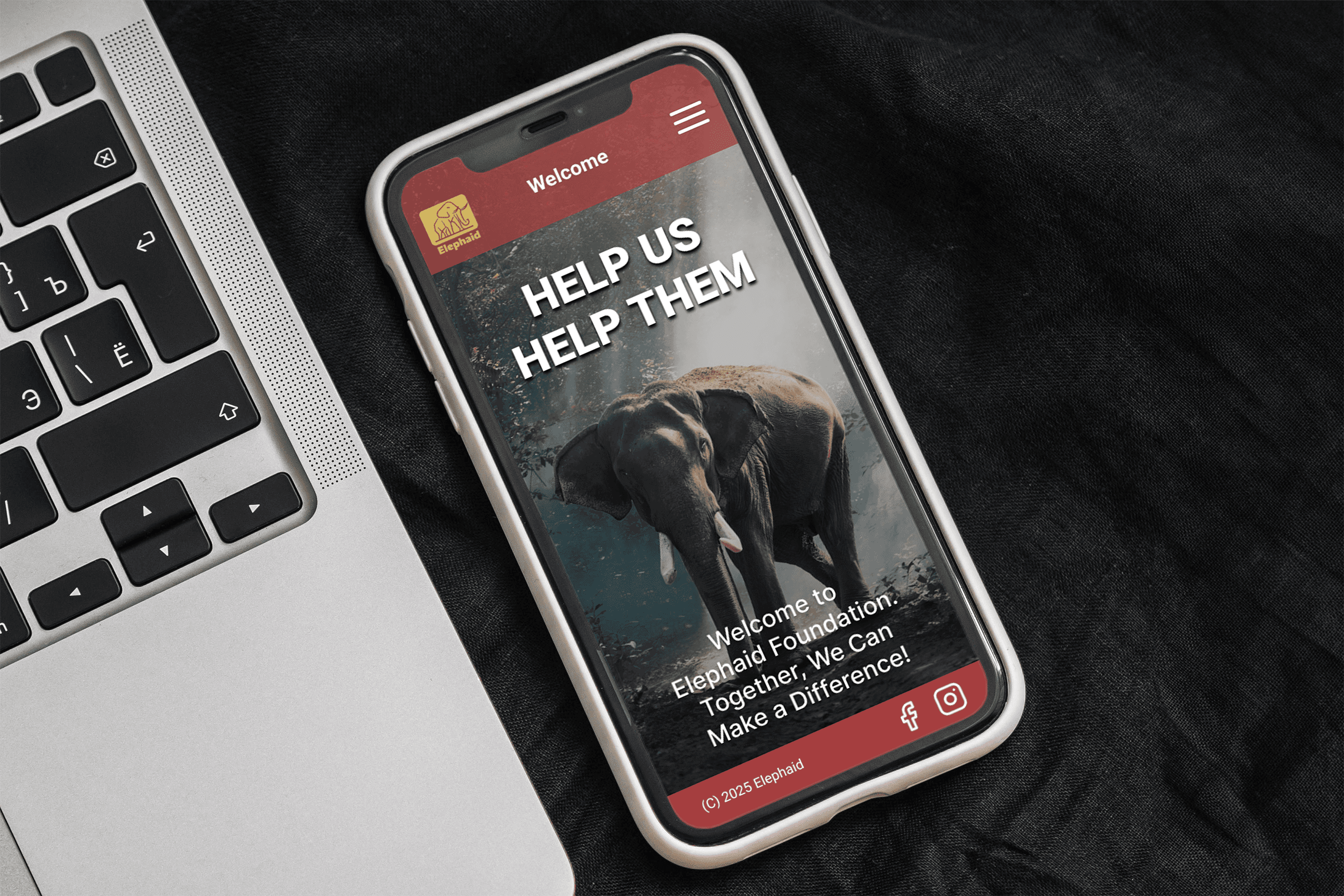
A smartphone on a laptop keyboard displaying Elephaid’s redesigned welcome screen featuring an elephant image, headline text “Help Us Help Them,” and a call-to-action.

Final Designs

The redesigned Elephaid app yielded remarkable improvements:

Increased User Clarity: The streamlined process reduced confusion and enhanced the overall user experience.

Higher Trust Levels: The focus on visual consistency and clarity fostered a heightened sense of trust among users, encouraging them to donate and volunteer.

Positive User Feedback: Early testers reported a significant increase in satisfaction, feeling more confident in their ability to use the app without errors.

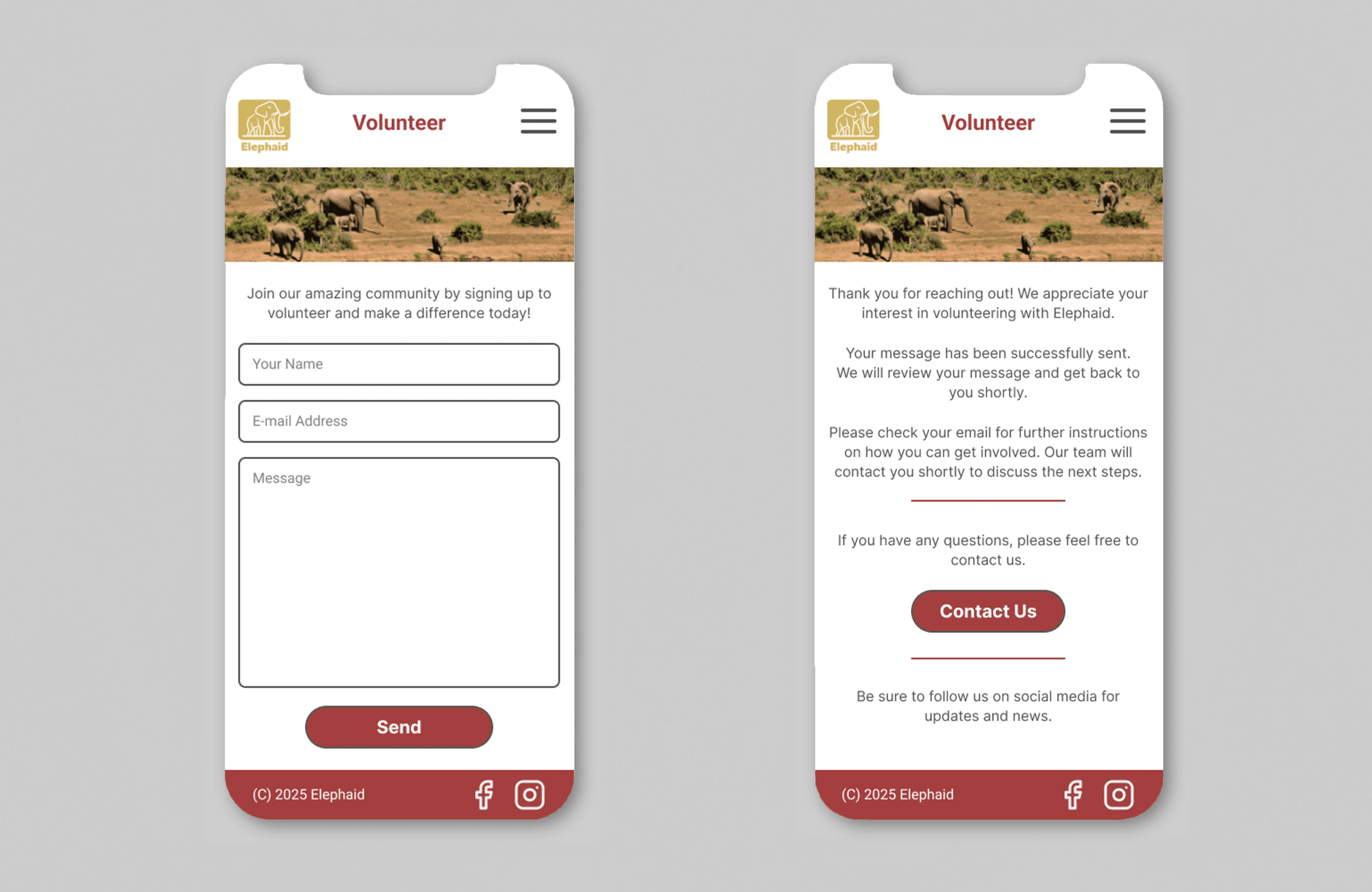
Left screen alt text: A mobile screen showing Elephaid’s volunteer signup form with fields for name, email, and message and a large Send button. Right screen alt text: A mobile screen showing Elephaid’s volunteer confirmation page thanking the user and offering next steps with a Contact Us button.
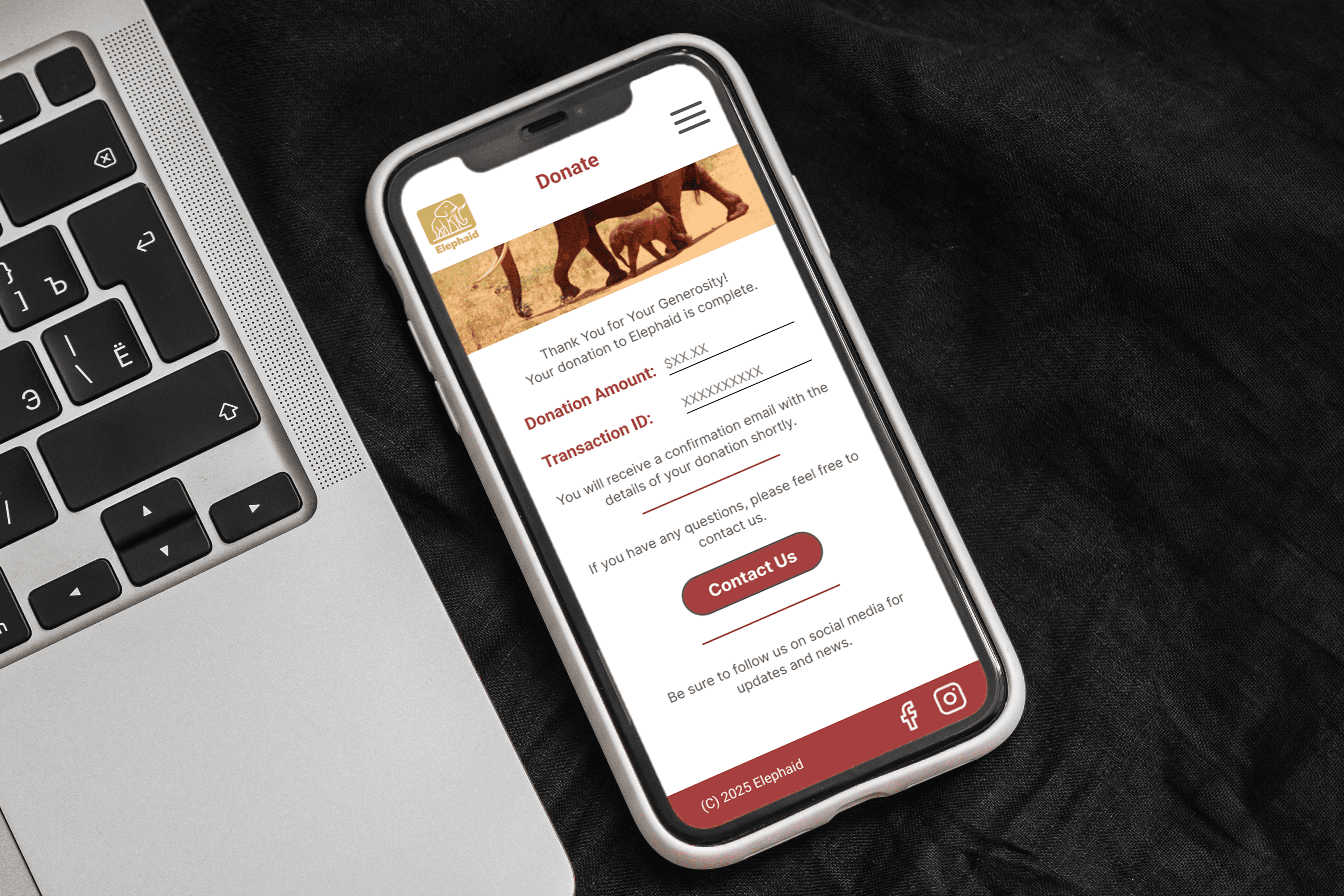
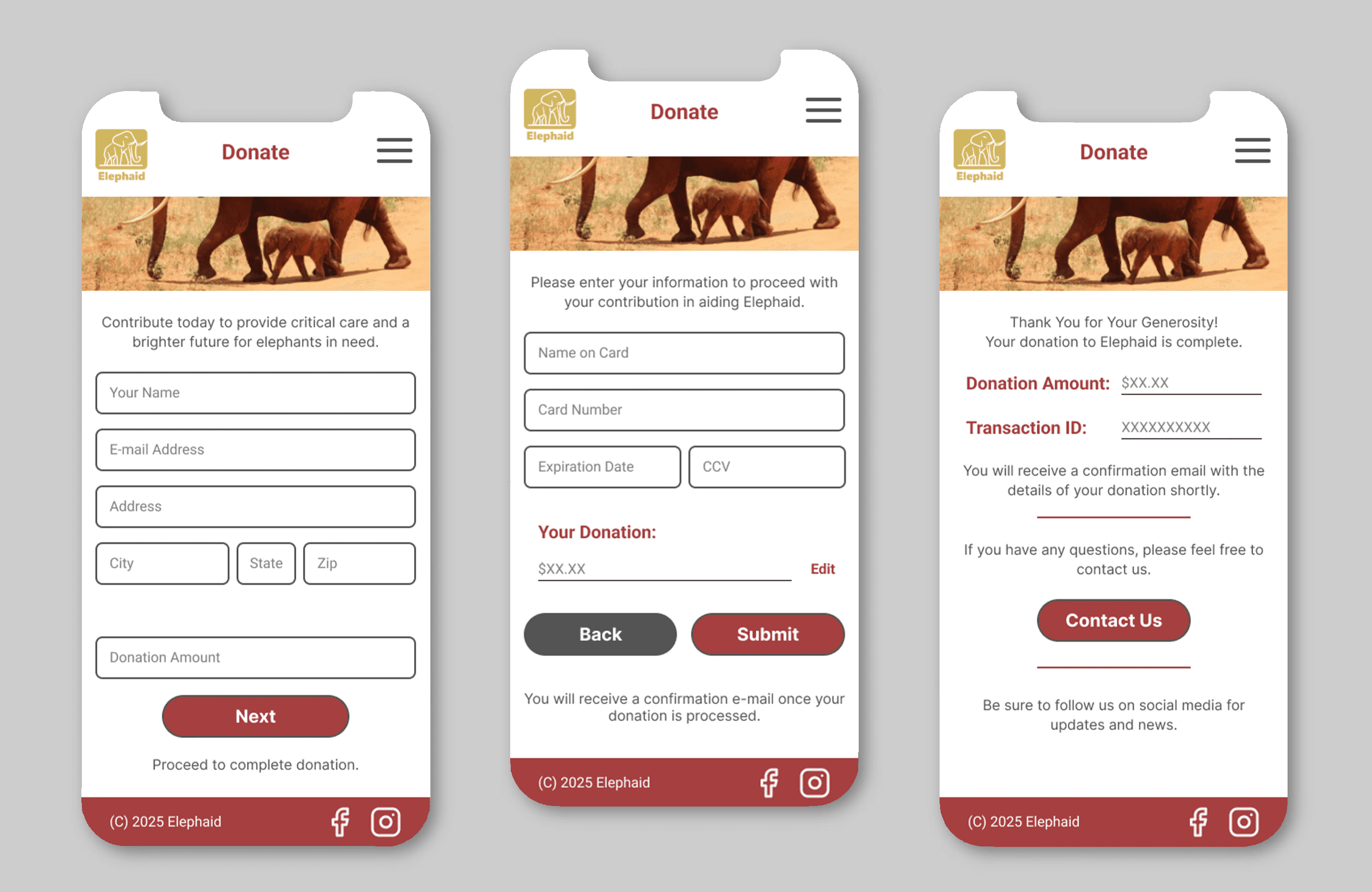
Left screen alt text: A mobile screen showing Elephaid’s redesigned donation form with user information fields and a Next button. Middle screen alt text: A mobile screen showing the payment step of the donation flow with credit card fields and Submit and Back buttons. Right screen alt text: A mobile screen showing the donation confirmation page with the donation amount, transaction ID, and a Contact Us button.
A smartphone resting on a laptop displaying Elephaid’s donation confirmation screen with the donation amount, transaction ID, and a prominent Contact Us button.

Simplifying Donations to Increase Impact

The successful UX redesign of Elephaid's mobile app not only addressed critical user challenges but also laid the groundwork for increased community engagement in humanitarian causes. By focusing on empathy, accessibility, and user trust, Elephaid is now better equipped to connect individuals with opportunities to make a meaningful impact. This case exemplifies the importance of user-centered design in driving impactful solutions for non-profit organizations.

By continuously refining their approach, Elephaid can sustain and grow its mission to facilitate humanitarian efforts, marking a positive shift in how individuals interact with charitable causes.

The Elephaid app redesign improved usability and accessibility while strengthening the emotional connection between users and the organization’s mission. By simplifying the donation and volunteer flows, refining hierarchy, and applying consistent design patterns, the app now feels more intuitive and trustworthy.


Through this project, I learned how design empathy and accessibility directly impact user confidence. It showed how thoughtful design choices can turn frustration into motivation and intention into action.


If continued, the next phase would explore new ways to increase donor engagement, such as real-time impact tracking and accessible progress sharing. This would ensure every user feels part of the change they help create.

The Elephaid app redesign improved usability and accessibility while strengthening the emotional connection between users and the organization’s mission. By simplifying the donation and volunteer flows, refining hierarchy, and applying consistent design patterns, the app now feels more intuitive and trustworthy.


Through this project, I learned how design empathy and accessibility directly impact user confidence. It showed how thoughtful design choices can turn frustration into motivation and intention into action.


If continued, the next phase would explore new ways to increase donor engagement, such as real-time impact tracking and accessible progress sharing. This would ensure every user feels part of the change they help create.